Showing posts with label iPad 2. Show all posts

Monday, October 17, 2011

AirPlay Mirroring and how to watch Hulu Plus on the Apple TV

The biggest complaints I have about the Apple TV is that it does not have apps like Google TV and lacks the amount or content of the Roku and Boxee Box. All of this just recently changed with iOS 5 and an Apple TV update. With these updates you can now use AirPlay Mirroring. This allows your to share your iPad 2's screen and iPhone 4S right to your TV connected with an Apple TV. This now gives you the ability to use every Appn in the App Store right on your TV.

So far I have found it to be a very solid expierence. I have barely noticed any delay. For me this just became one of the best set ups that you could have in your home, school room, or conference room. With the availability of apps the possibilities are quite endless to what you can do. I have found it very useful to get content on to the TV. Hulu Plus for example is an amazing app on my iPad. With AirPlay Mirroring I am, now able to have all that content right on my TV. The video below shows exactly how it is done.


 Here our a few tips about using AirPlay Mirroring:
  • When your iPad is being shown on a Apple TV the black bar at the top of the iPad will turn blue so that you know your screen is being shared somewhere. 
  •  When you use a app that has sound that is playing on the Apple TV you can use the volume controls on the iPad to control the volume.
  • When you play a video, look at pictures or use an app formatted for the Apple TV the TV's screen will switch between seeing the iPad status bar and showing a full screen display of the selected media. 
 What feature will you use most on the Apple TV?

Tuesday, October 4, 2011

iOS 5 Coming to your iPad October 12th

Apple announced it's new iPhone, the iPhone 4S but to me the most important thing that was announced was the availability of iOS 5 on October 12. There are over 200 new features that have been added. Make sure you get your iOS device all backed up before the big day so you are ready to download and install the new and shiny OS.

Check out all the new features over on Apple's site

Thursday, September 22, 2011

Logitech Fold-Up Keyboard for iPad


Looking for a easy to use convenient keyboard for your iPad 2? This one should do the trick. The Logitech Fold-Up Keyboard looks to be a very impressive device that allows you to take a full size keyboard with you wherever you go. The case is compatible with the iPad and iPad 2 and also allows you to use your smart cover with it. The keyboard has a rechargeable battery and pairs to the iPad using bluetooth. This product retails for $129.99 and is ready to be purchased.

Logitech 
Slash Gear

Saturday, September 17, 2011

Multitasking Gestures on the iPad with iOS 5 & how to enable them now.


Update: This feature will only work on the iPad 2 with iOS 5. If any one has an iPad 1 and tries the method below and it works after updated to iOS 5 I would love to know.

Many of you may have already done this but I just wanted to let you know about any way. In the upcoming iOS there are going to be more that 200 new features added to the iPad and iPhone. One of these features is the ability to use all of you fingers to do certain gestures on the iPad.

There are three main gestures that you are able to do. If you are in any app all you need to is place all 5 of your fingers on the screen and swipe in towards the middle. This will take you right back to the main screen without having to hit the home button.

The next gesture is when you are using an app you can put 4 fingers on the screen and swipe left or right to quickly jump back and forth between the different apps that you have open. I find this to be very useful and make for quick and simple multitasking.

The last gesture is from any screen you place for fingers on the screen and then you can swipe them up and it will bring up the multi tasking bar instead of hitting the home button twice.

If you would like to use these gestures now check out the video below to see how to enable it. You will need to have a Mac, and download Xcode for free from the Mac app store. Open Xcode and plug in your iPad and then press the use for development button. It then asks you to sign in to your Apple Developer account but I just hit cancel and it worked. Then go to settings on the iPad and make sure multitouch gestures are on and that is it.

In the video he talks about 2 different versions of Xcode but now it is free from the Mac App Store so it makes it really easy. Have you enabled these? What do you think? Enjoy.

Thursday, September 8, 2011

Minute Review: Snap On Slim-Fit Case for iPad 2


Looking for a way to protect the back of your iPad from all those small scratches? This is the perfect affordable solution. Check out the video above for the quick review or go to the link to purchase from Amazon. You might as well get one for you parents while you are at it.


Amazon

Tuesday, August 2, 2011

Stylusist: Clip-On Stylus Holder for iPad 2


As with my post about the SoundJaw, there is another device that trying to get funding on Kickstarter. Tyson and Scott from Salt Lake City came up with the idea for the Stylusist. It is a device that attaches to the iPad 2 and then allows you to attach your stylus for easy access. It is being promoted as a way to not lose your stylus and to always have easy access to it so that you don't have to search through your pocket or purse to be able to find your stylus.

Tyson and Scott are looking for $10,000 in backing by Aug. 26 to be able to get the project going. They would love for minimum pledges of $20 dollars but are accepting $1 pledges. All they ask is if you pledge less than $20 dollars, that you spread the word about Stylusist on your social media pages. They are offering a Stylusist for the first 100 people the give a pledge. If you pledge $50 or more they will give you a Stylusist, a stylus, and a personal thank you note. If you pledge $100 you will get a Stylusist, a stylus, a personal thank you note, and your name will be put on their website as a top contributor. If you pledge more than $500 you will receive all of the above and your name will even be placed on the packaging as a top contributor.

They used the top three styluses from Amazon to create the dimension for the product. It is suggested that if you don't buy one of the three listed that you buy one that has a circumference of 29.6 mm or a diameter of 8.5mm. The styluses they used are: Acase Capacitive Stylus Pen, Boxwave Capacitive Stylus, Targus Stylus for iPad.

Are you willing to help get this product made? I can see that many people would have a use for this. Hit the source link to offer your pledge now.

SoundJaw for the iPad 2


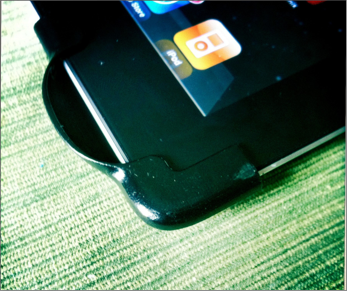
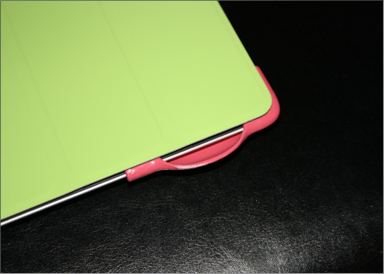
Have you watch a video lately on your iPad 2? Did you turn up the volume all the way and then cup your hands over the speaker so all viewers could hear it? This is exactly what the SoundJaw fixes. It is was made for the purpose to enhance and boost the sound quality of the iPad 2. The SoundJaw claims to give your iPad a higher decibel volume with crisper sound.

Matthew McLachlan is the creator of the SoundJaw. At first he used KickStarter to be able to raise enough money for the project. The device is made of plastic and slides onto your iPad 2 with ease. It comes in different colors so that you can keep it discrete as possible depending on your iPad color or Smart Cover color. The product is now available for sell for $20 but at this time only allows for you to purchase them in black or white.

I can see the SoundJaw being a great addition for my iPad. it is not fun to always be holding my hand by the speaker whenever I am watching a YouTube video or anything else. Is this something you have been looking for? I would say I am convinced, how about you?


SoundJaw

Tuesday, May 31, 2011

Decisions, Decisions...

Ever since I have been able to accumulate enough money for my iPad I have been thinking about this purchase quite a bit. I would first like to thank all of you for all of your help to get to this point.
I have always had my eyes set on getting the iPad 2 first. It being one of the newest and most hyped tablet. It claims to be the thinnest and have the more tablet formatted apps than any device. While these are all great I would love to know what you would like to see the most.

There are few other tablets that I have been looking at that have great potential. What would you be most interested in seeing? Your input is greatly appreciated.

Wednesday, March 2, 2011

Battle of the Tablets!

How does the iPad 2 compare with all the other tablets? Engadget answers your question.


Apple
iPad 2

Motorola
Xoom 

HP
TouchPad

BlackBerry
PlayBook


PlatformiOS 4.3Android 3.0webOS 3.0BB Tablet OS (QNX)
Display9.7-inch
LED-backlit IPS LCD
10.1-inch9.7-inch7-inch LCD
Resolution1024 x 7681280 x 8001024 x 7681024 x 600
Processor1GHz dual-core
Apple A5
1GHz dual-core
NVIDIA Tegra 2
1.2GHz dual-core Qualcomm Snapdragon1GHz dual-core Cortex-A9
Memory?1GB RAM1GB RAM1GB RAM
Storage16GB / 32GB / 64GB32GB16GB / 32GB16GB / 32GB / 64GB
Front cameraVGA2 megapixel1.3 megapixel3 megapixel
Rear camera720p / 30 fps video5 megapixel AF with dual-LED flash,
720 / 30p video
none5 megapixel,
720p video
Cellular radioEDGE plus quadband HSPA or
CDMA / EV-DO Rev. A
3G with free upgrade to 4G LTE3G and 4G3G and 4G
WiFi802.11a/b/g/n802.11a/b/g/n802.11b/g/n802.11a/b/g/n
Bluetooth2.1 + EDR2.1 + EDR2.1 + EDR2.1 + EDR
Accelerometer3-axis3-axisYesYes
GyroscopeYesYesYes--
Battery25Wh3,250mAh6,300 mAh5,300 mAh
Thickness8.8mm12.7mm13.7mm10mm
Weight601g (WiFi),
607g (Verizon),
613g (AT&T)
725g740g425g
See the full article at Engadget.

The iPad 2! All you need to know.

What another amazing Apple event that was. Apple is doing a great job at refreshing it's products fast. She here are my predictions for the iPad 2.

  • New A5 processor. Not sure on the speed.
  • A pixel density screen.
  • Weight 1 lb. (Close)
  • Front facing 2MP camera for Facetime.
  • A sd card slot to easily transfer pictures.
  • No price change.
  • Ability to sync the 30 connecter with Thunderbolt.
More than half right but I did miss a few things. They made it slimmer, added the function to mirror screen onto TV with HDMI, a rear camera, and many other features.

Go here to see the full specs. So my question to you is, does the iPad now have all you need or do you still think that it is a fad? Sound off in the comments. Thanks for reading!

Wednesday, February 23, 2011

Apple Event March 2nd! (Update)

If I you would have asked me my predictions for the iPad this year I would have suggested an Apple event to be hosted in March and the iPad 2 to be released in April. Today the first part came true by Engadget and others to be invited to an event on March 2nd.


Now to what exactly will be announced is anyones guess but here are my predictions for the future of the iPad.

  • New A5 processor. Not sure on the speed.
  • A pixel density screen.
  • Weight 1 lb.
  • Front facing 2MP camera for Facetime.
  • A sd card slot to easily transfer pictures.
  • No price change.
  • Ability to sync the 30 connecter with Thunderbolt.
What would you want in the next iPad? Leave your predictions in the comments.

by:Brett Bristow